Transparent PNG Maker
Turn a photo into a transparent PNG.
- Free
- No sign-up
- Runs on GPU
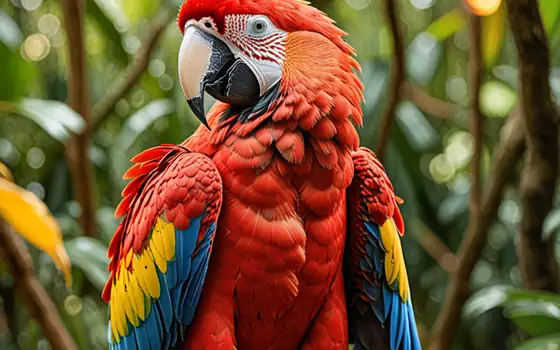
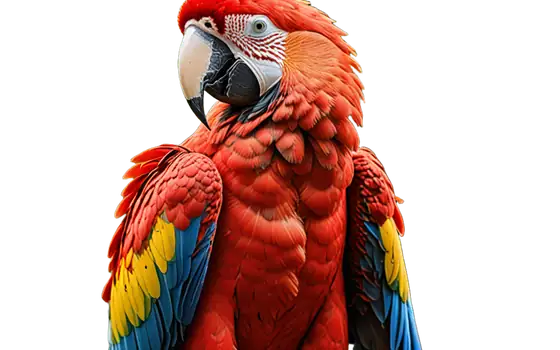
Files are deleted automatically after 24 hours. We do not log your content or use it for AI training.
This page turns a photo into a PNG with a transparent background. The AI finds the main subject, removes everything else and saves the result with an alpha channel, so you can place it on any slide, design or web page.
The cut-out keeps the resolution of your upload. It is not a general format converter: if you only want to change JPG to PNG without removing anything, use a converter instead.
How to use Transparent PNG Maker
- Drop a JPG, PNG or WebP image (up to 10 MB) on the box.
- Background is set to Transparent and Format to PNG. Choose HD quality for finer hair and edges.
- Press Remove background and wait for the job to complete.
- Download the PNG. A checkerboard in the preview means the area is transparent.
Features
The output has an alpha channel, so the removed area is see-through, not white.
Edges are matted instead of cut with a hard outline, which looks better on new backgrounds.
The PNG has the same pixel size as the upload.
No account or watermark. The upload is deleted after 24 hours.
Where transparent PNGs help
Product images on coloured pages, stickers, presentation slides, thumbnails and website hero images are all easier with a cut-out. Keep the PNG as your master and export smaller copies as needed.
Frequently asked questions
What is the difference between this and a converter?
A converter only changes the file type. This tool also removes the background with AI, so the PNG you get has a transparent area around the subject.
Why is the file larger than my JPG?
PNG is lossless and stores transparency, so it is usually bigger than a JPG. Use the compress tool afterwards if you need a smaller file.
Can I make a logo transparent?
Simple logos on a plain background often work. Fine gradients or logos on busy photos can leave artefacts, so check the result at full size.
Can I have a white background instead?
Yes, change the Background option to White, or use the white background page.
Are my photos kept?
Only long enough for you to download the result. Files are deleted automatically after 24 hours, and you can remove them sooner with the Delete now button. We do not log image content or train models on uploads.