Make Photo Background White
Replace a photo background with clean white.
- Free
- No sign-up
- Runs on GPU
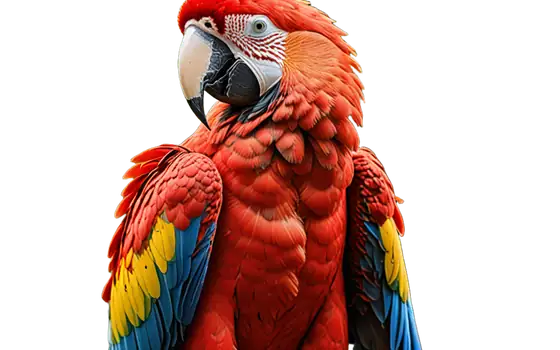
Files are deleted automatically after 24 hours. We do not log your content or use it for AI training.
A white background makes products, portraits and small items look clean and consistent. Upload a photo and the AI separates the subject, then puts it on pure white and gives you a JPG.
It suits marketplace listings, catalogues, profile pictures and print layouts. The tool does not add shadows or reflections, so objects can look like they float; add a soft shadow in an editor if you need one.
How to use Make Photo Background White
- Drop a PNG, JPG or WebP photo (up to 10 MB) on the box, or paste it from the clipboard.
- Background is already White and Format is JPG. Switch to HD quality if edges around hair or fur matter.
- Press Remove background and wait for the job to finish.
- Check the before and after preview and download the JPG.
Features
The cut-out is flattened onto solid white, with no transparency left in the file.
Works on bottles, shoes, bags and other objects with a clear outline against their surroundings.
Prefer black or light grey? Change the Background option; the same tool offers both.
No account or watermark. Files are deleted after 24 hours and never used for training.
Tips for product photos
Shoot in diffuse light, keep the whole object in frame and avoid a background of the same colour as the product. Upload the largest file you have (up to 10 MB); the result keeps its resolution.
Frequently asked questions
Is the background exactly white?
Yes, the area behind the subject is filled with white (#FFFFFF). Soft edges are blended with the white so there is no dark halo from the old background.
Does it add a shadow under the product?
No. The result is the subject on flat white. If you need a floor shadow, add it in an image editor afterwards.
Why JPG and not PNG?
JPG gives a smaller file and is accepted everywhere. If you need transparency instead, set Format to PNG and Background to Transparent.
What if part of the subject is cut away?
Thin or transparent parts, such as glass, can be missed. Try HD quality, or a photo with more contrast between the object and its background.
Are my photos kept?
Only long enough for you to download the result. Files are deleted automatically after 24 hours, and you can remove them sooner with the Delete now button. We do not log image content or train models on uploads.