Colorize Photos
Add natural colour to black and white photos.
- Free
- No sign-up
- Runs on GPU
Files are deleted automatically after 24 hours. We do not log your content or use it for AI training.
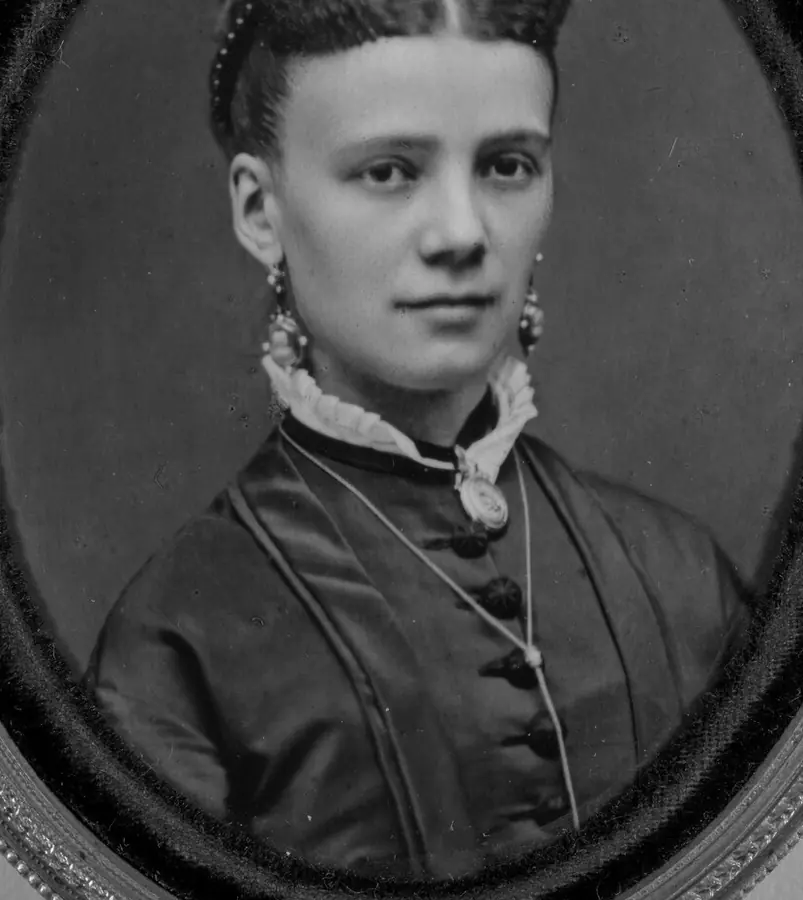
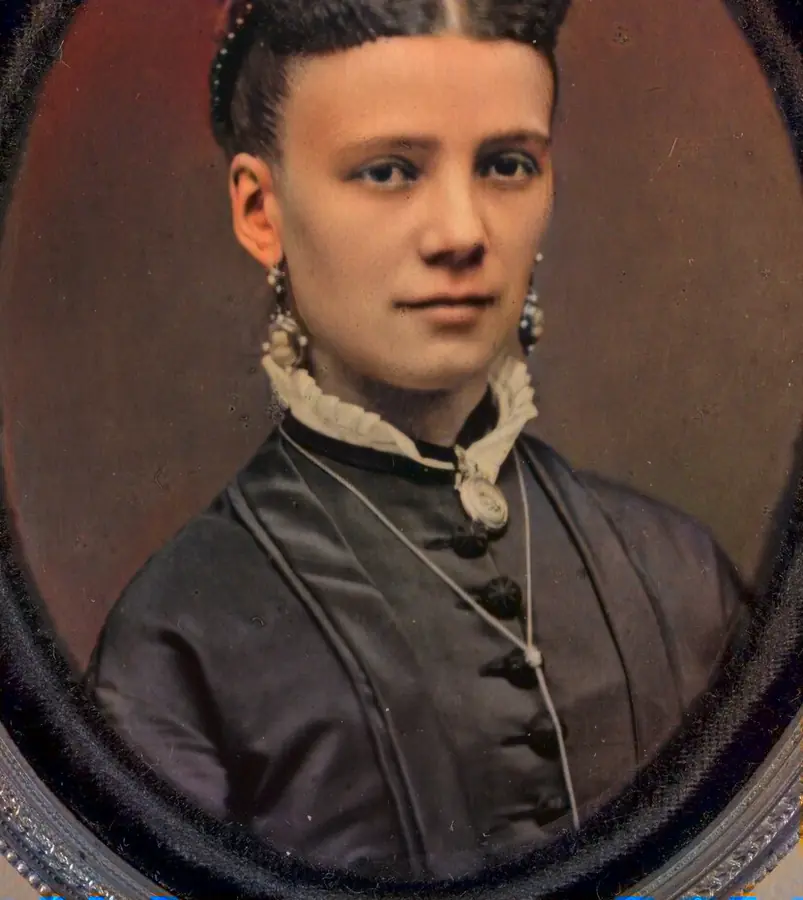
This tool turns a black and white picture into a colour one. The DDColor model looks at the whole scene and predicts colours for sky, skin, plants and objects, while the original brightness and detail are kept untouched.
It works on family photos, historic pictures and old film frames. The work runs on our GPU server and your file is deleted after 24 hours.
How to use Colorize Photos
- Add a PNG, JPG or WebP image of up to 10 MB by dragging it in, picking a file or pasting from the clipboard.
- Pick the output format. PNG avoids extra compression.
- Press Colorize photo and wait while it is queued and processed.
- Check the result, then download it. Press Delete now to remove it from our server immediately.
Features
DDColor predicts colours for the whole scene instead of painting flat tints.
The colour is added on top of your original brightness, so the picture keeps its full resolution.
The output has exactly the pixel size of the input.
Choose the format that suits where the picture goes next.
Run the photo through Restore Old Photos when it is also blurry or damaged.
No account, no training on your files, and automatic deletion after 24 hours.
Tips for better colour
Photos with good contrast and clear subjects colourise best. Very faded or low-contrast scans can come out washed out, so raise the contrast in your scanner or editor first.
Frequently asked questions
Are the colours the real ones?
No. The model estimates plausible colours from what it learned on other photos. Skin, sky and vegetation are usually convincing, but clothing, vehicles and small objects can easily get a wrong colour. It is an interpretation, not a historical record.
Can I use it on a colour photo?
The colour is rebuilt from the brightness only, so a colour photo would lose its real colours. Use it on black and white or sepia pictures.
What is the maximum file size?
Uploads can be up to 10 MB in PNG, JPG or WebP. Very large images are rejected with a clear message.
Are my photos kept?
Only long enough for you to download the result. Files are deleted automatically after 24 hours, and we do not log image content or train models on it.