Unblur Image
Sharpen soft photos and enlarge them 2x.
- Free
- No sign-up
- Runs on GPU
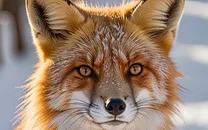
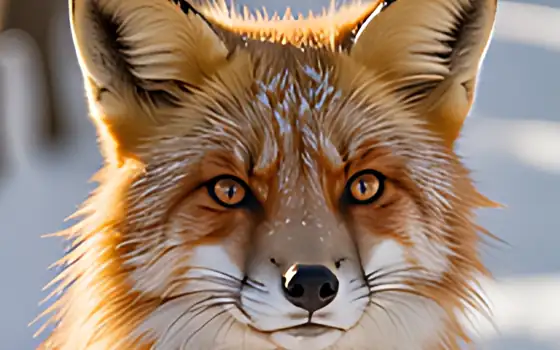
Files are deleted automatically after 24 hours. We do not log your content or use it for AI training.
This page runs your photo through an AI upscaler tuned for real pictures, doubles the size and enhances faces. The extra resolution and rebuilt detail make soft, small or compressed pictures look sharper.
It is honest to say what this is not: it cannot recover detail that was never recorded. Slight softness and low resolution improve a lot; heavy motion blur or a badly missed focus improves little, and the AI may invent plausible but wrong details.
How to use Unblur Image
- Drop a PNG, JPG or WebP photo (up to 10 MB) on the box.
- The photo model, 2x scale and face enhancement are already selected. Switch to 4x if the picture is very small.
- Press Upscale image and wait while the job is queued and processed.
- Compare before and after, then download the result.
Features
Preset to the model made for natural photographs rather than drawings.
GFPGAN rebuilds soft faces. Untick it if people look too smooth.
Width and height are doubled, so a 1000 px photo becomes 2000 px.
Choose lossless PNG or smaller files. The input limit is 10 MB.
When to expect good results
Best cases are small thumbnails, screenshots of photos, compressed social media pictures and slightly out-of-focus portraits. For old damaged prints, the photo restoration tool is a better fit.
Frequently asked questions
Can it fix a photo with motion blur?
Only slightly. Upscaling sharpens edges and adds detail, but it does not undo camera shake or a wrong focus. Expect a modest improvement for strong blur.
Why do faces look different afterwards?
Face enhancement rebuilds features from a model. It can make skin look smoother or change small details. Untick Enhance faces to keep the original look.
What is the maximum size?
Uploads up to 10 MB. Larger scale on a big image gives a very large file, so very large inputs may be rejected with a message.
Is this the same as sharpening in an editor?
No. A sharpen filter boosts contrast on edges. An AI upscaler adds pixels and predicts detail, which usually looks more natural on small photos.
Are my photos kept?
Only long enough for you to download the result. Files are deleted automatically after 24 hours, and you can remove them sooner with the Delete now button. We do not log image content or train models on uploads.